

How to setup Single Sign-On using SAML 2.0
Updated 5 years ago
We want to make it easy for all of your team members to access JobScore. If your company uses Single Sign-On (SSO) with SAML 2.0, please complete the steps on this page. Once you provide us with the information we need, we will coordinate a cut-over date.
Step 1: Locate and save your SAML Sign-On URL
Locate your Sign-On URL by accessing this page in JobScore and then jot it down.
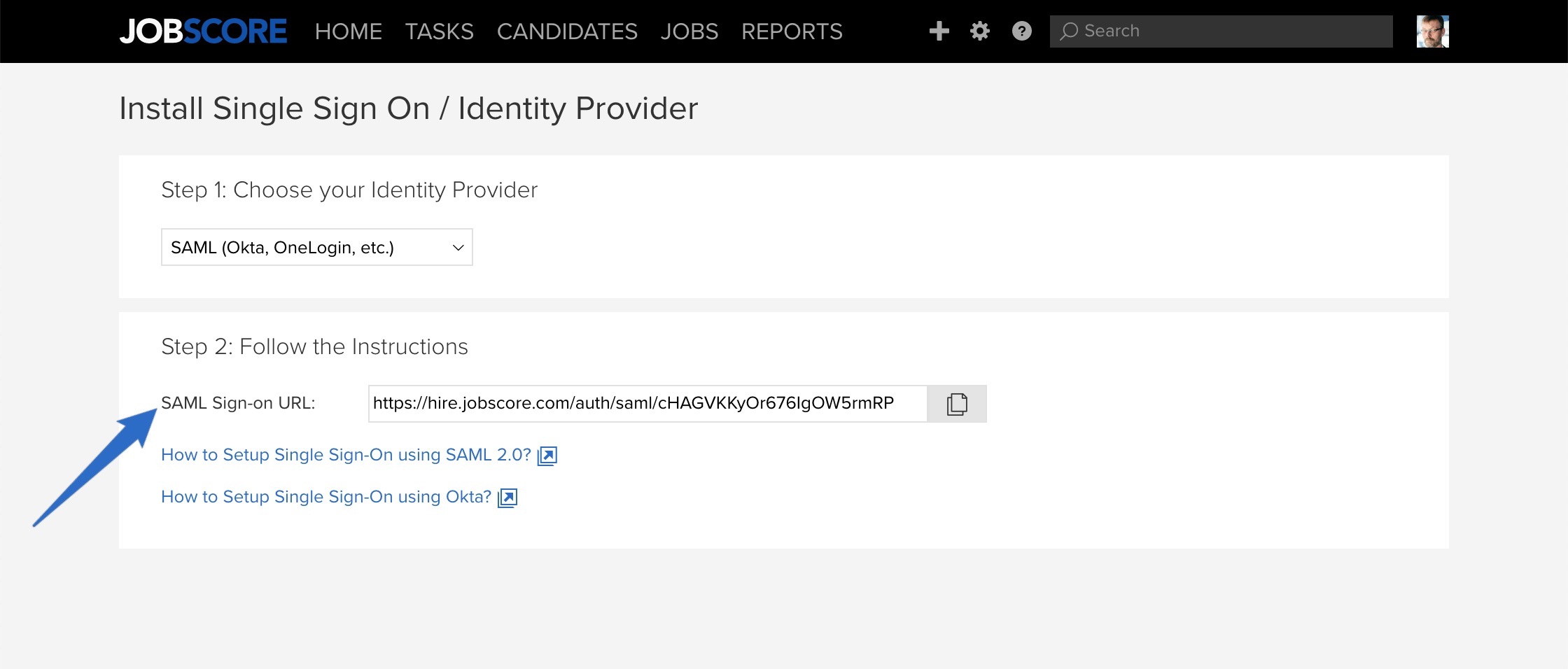
Step 2: Configure your SAML Identity Provider
Here is the information your Identity Provider will need to complete the integration:
ACS (Assertion Consumer Service) URL / Post Back URL: https://hire.jobscore.com/auth/saml/[CompanyID]
Name ID format: urn:oasis:names:tc:SAML:1.1:nameid-format:emailAddress
Audience/Entity ID: https://www.jobscore.com
Recipient: https://hire.jobscore.com/auth/saml/[CompanyID]
Attribute Statements (optional): JobScore will conveniently use these values (when available) when the user logs in for the first time and creates their account:
User's First Name: http://schemas.xmlsoap.org/ws/2005/05/identity/claims/givenname
User's Last Name: http://schemas.xmlsoap.org/ws/2005/05/identity/claims/surname
User's Phone Number: http://schemas.xmlsoap.org/ws/2005/05/identity/claims/telephonenumber
User's Job Title: http://schemas.xmlsoap.org/ws/2005/05/identity/claims/jobtitle
Once you've added JobScore to your identity provider you aren't done, you'll need to send us an email...
Step 3: Email JobScore to activate Single Sign-On for your account
Once you configure your identity provider to work with JobScore, please email [email protected] with the following details so we can configure your account
The day and time you would like to enforce SAML single sign-on for JobScore (when users will no longer be able to login using their password)
IdP Issuer URL: The URL that uniquely identifies your SAML identity provider.
IdP Certificate: The authentication certificate issued by your identity provider.
IdP Login URL (SSO): The URL where JobScore sends a SAML request to start the login sequence.
(Alternatively, If your IdP supports metadata generation, you can forward the generated xml file to us instead of the three values above)
The JobScore success team will confirm receipt of your email and the scheduled date and time of the cut-over.
If you have any other questions, please contact [email protected].