

How do I delete a candidate?
Updated 6 years ago
It's really simple to clean up your records and delete a candidate in JobScore.
Here's how:
Find a Candidate that you wish to delete
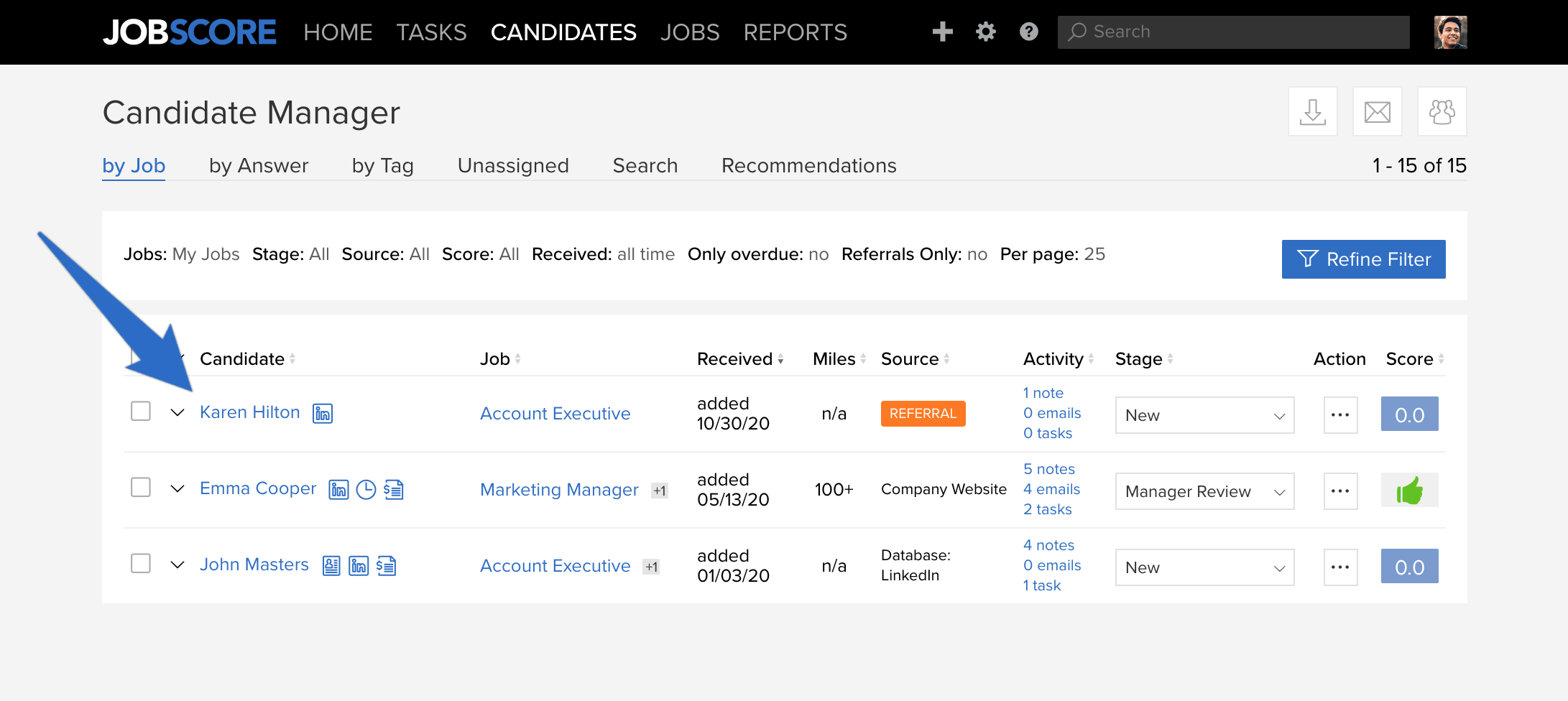
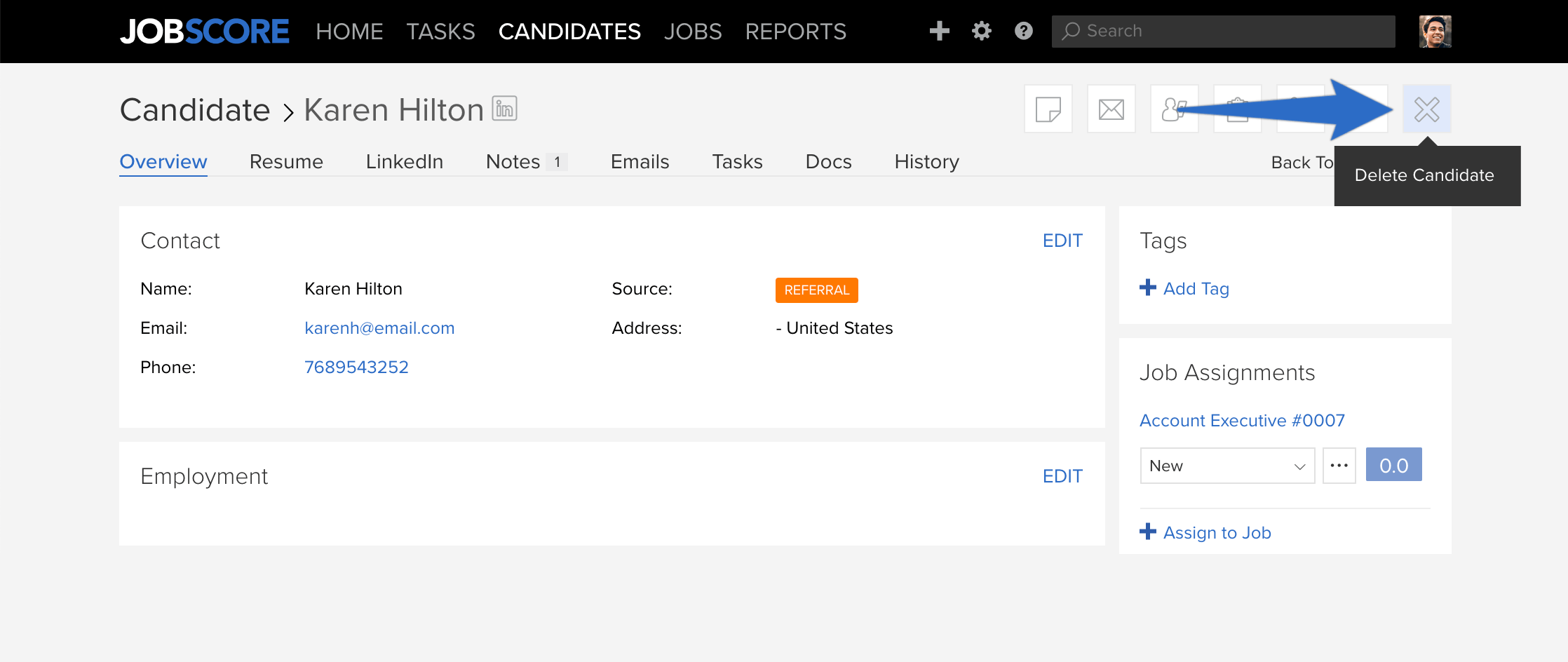
Below the navigation toolbar, click "DELETE CANDIDATE"
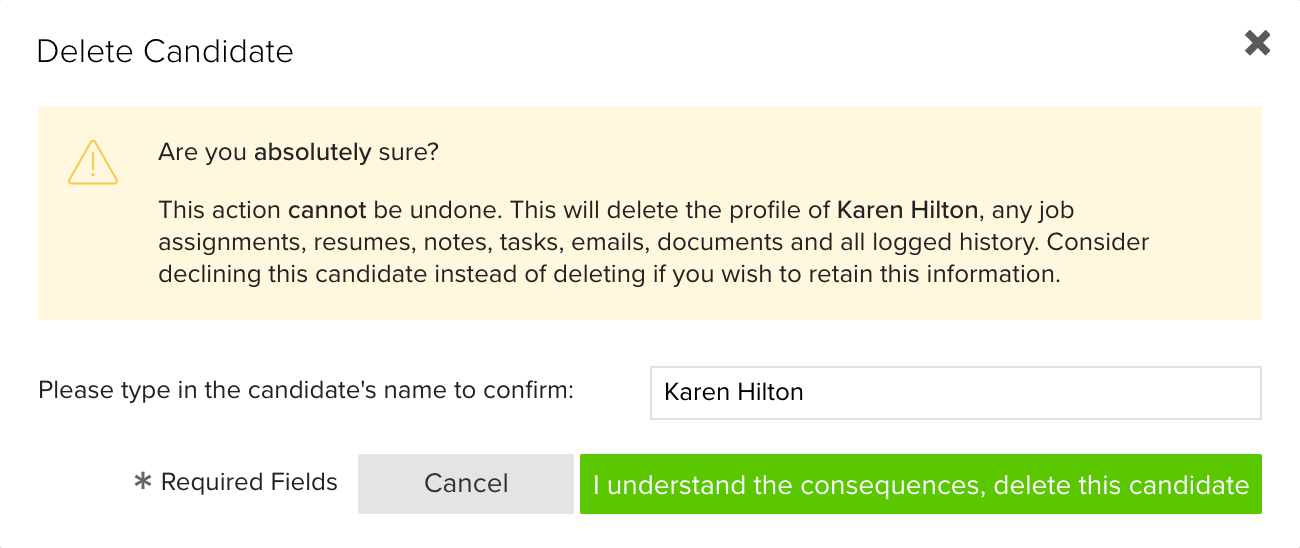
A confirmation box will appear. Type in the candidates first & last name to confirm the deletion
Click "I understand the consequences, delete this candidate" to confirm.
NOTE
If you have duplicate records for the same candidate, instead of deleting one of the candidate records, you can merge these two candidate records. Learn how to merge candidate records here >>
Candidates can not be deleted if they applied directly to the job or if the Candidates Source is SearchFirm.
Users must have Admin access type in order to delete a candidate record.
Was this helpful?