

How do I document fallout in JobScore?
Updated 7 years ago
Unfortunately your new hire did not show up to work and now you need to document that fallout in JobScore and start recruiting again. Don't sweat, we make it easy to track this change!
Click on the Jobs tab
Click Refine Filter. Make sure to include:
the department
location
show all Filled jobs
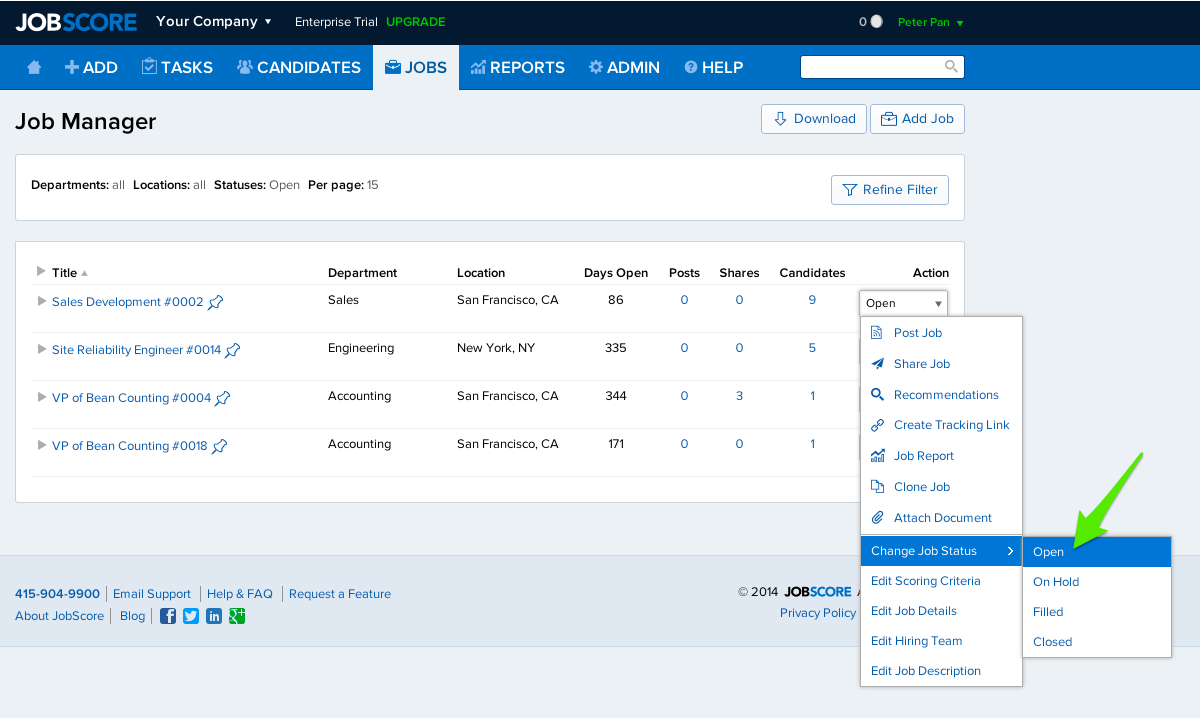
Find the Job you want to update.
In the Action Menu, change the Job Status from Filled to Open.
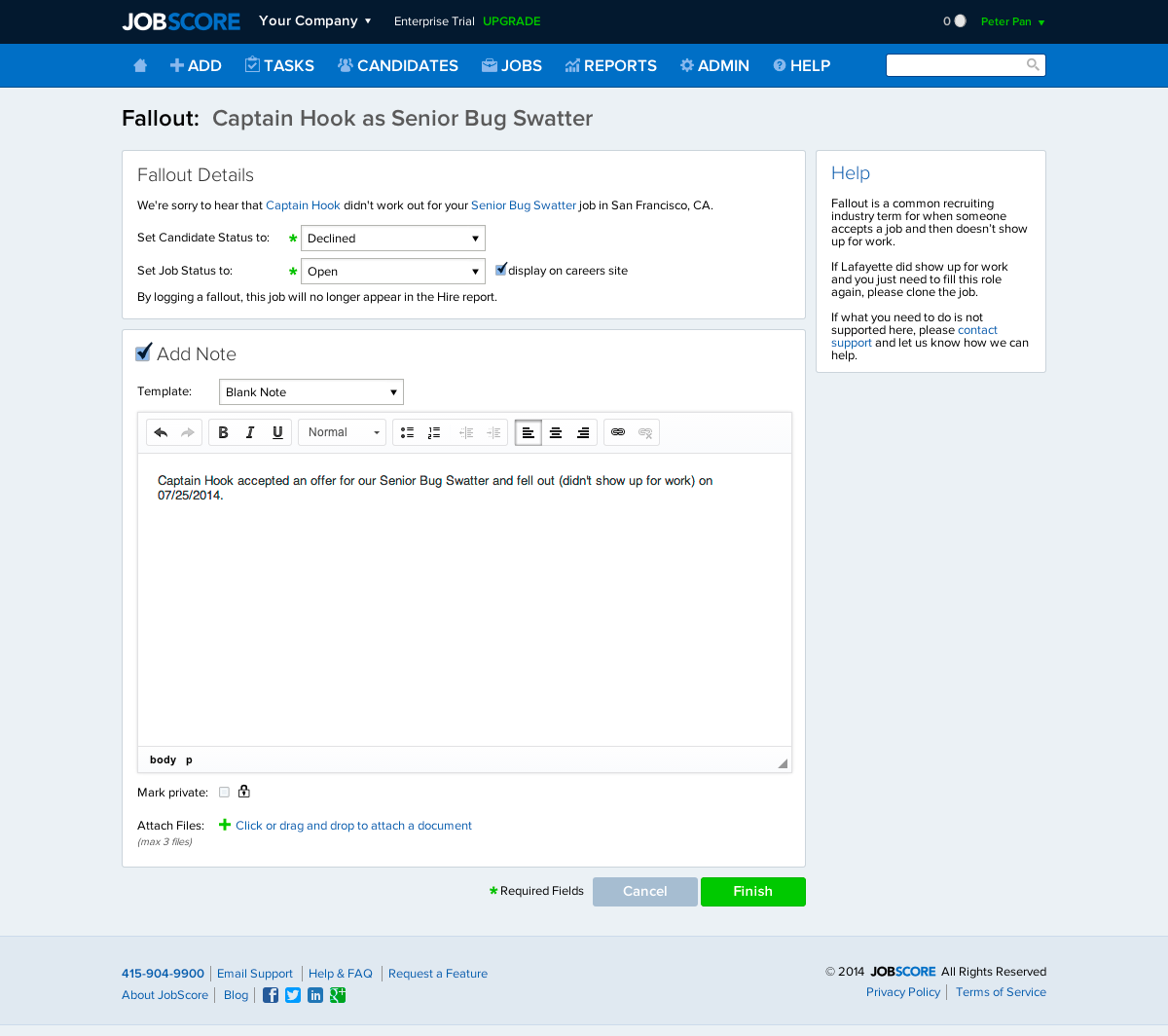
Update your Fallout details > Click Finish.
Was this helpful?